Designers prefer staying in one environment while working
Case Study · 2026 · Adobe
Workfront Plug-in
for Adobe Express
Reducing context switching by embedding workflow tools directly into the creative environment.
Overview
Project Context
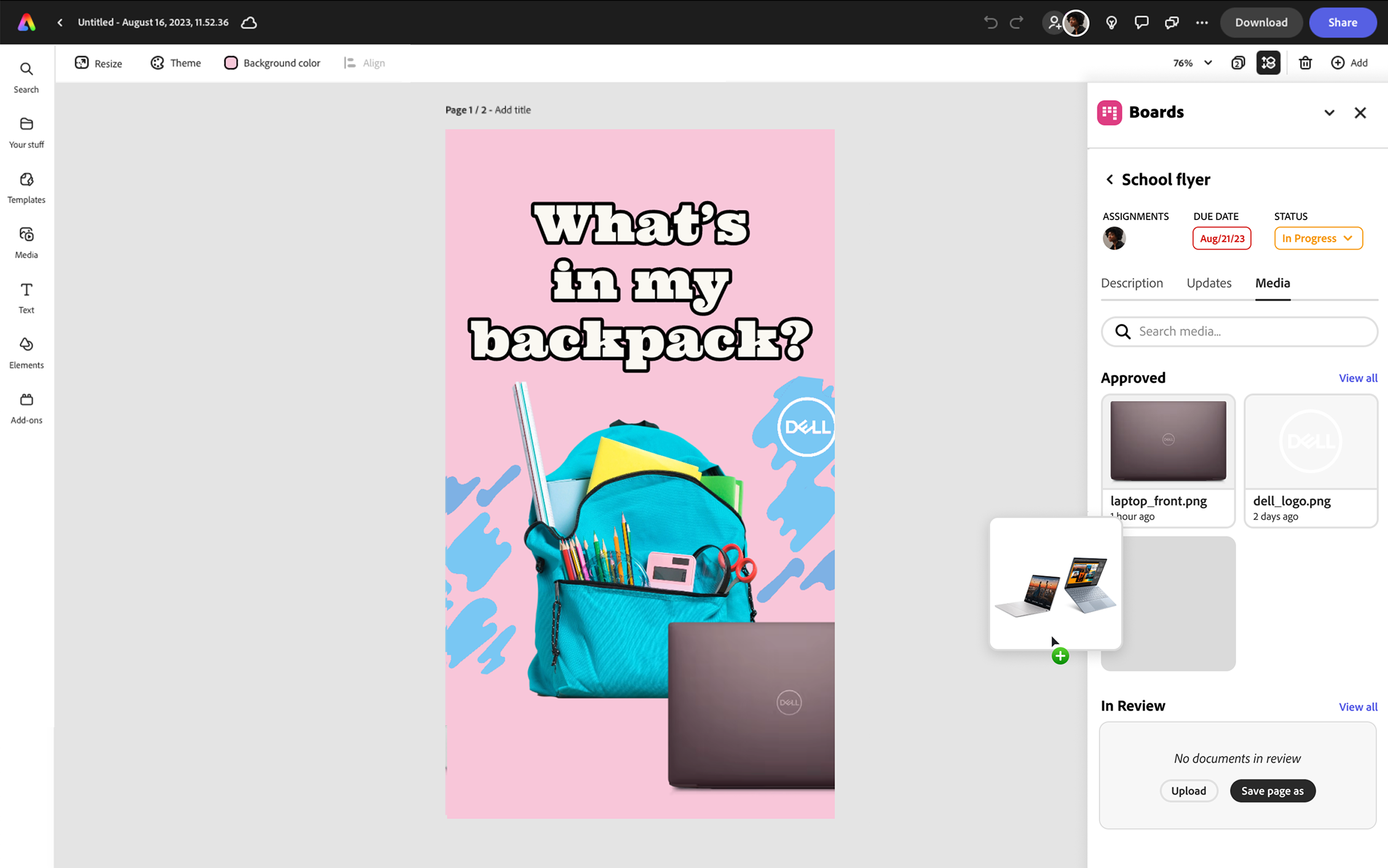
This project explores how integrating workflow tools directly into creative environments can improve efficiency. I designed a plug-in experience that brings task management, feedback, and approvals into Adobe Express — keeping designers in flow without sacrificing visibility into their project status.
Problem
Fragmented Creative Workflows
Designers are forced to leave their creative tools to manage tasks, review feedback, and upload assets — disrupting their flow and slowing down the entire production cycle.
"Creative workflows are fragmented across tools, leading to constant context switching and reduced productivity."
- Users switch between tools to manage tasks and review feedback
- Workflow visibility is disconnected from design work
- Uploading assets is repetitive and inefficient
Research
User Insights
Context switching breaks focus and slows progress
Task visibility is critical during the design process
Seamless integrations improve collaboration and speed
Opportunity
Design Challenge
How might we embed workflow management into Adobe Express so designers can stay focused while completing their tasks — without sacrificing access to the tools they need?
Exploration
Iterations & Trade-offs
External Dashboard
- Centralized task management
- Requires leaving the design tool
Rejected — perpetuates context switching
Floating Overlay
- Accessible within workspace
- Obstructs the canvas
Rejected — too intrusive for creative work
Embedded Panel
- Integrated into the interface
- Persistent but non-disruptive
- Real-time task interaction
Chosen — best balance of access and focus
Solution
Embedded Workfront Panel
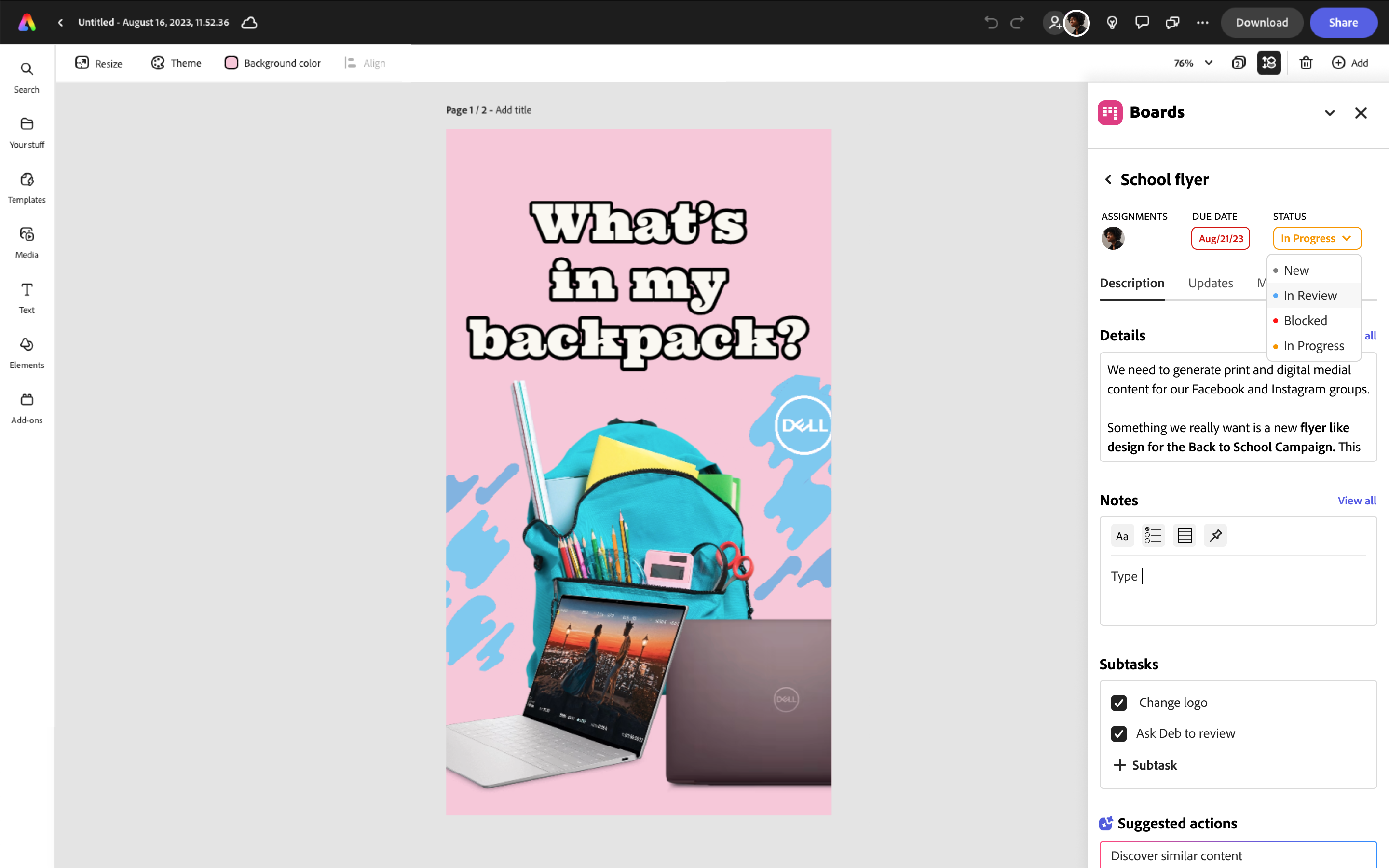
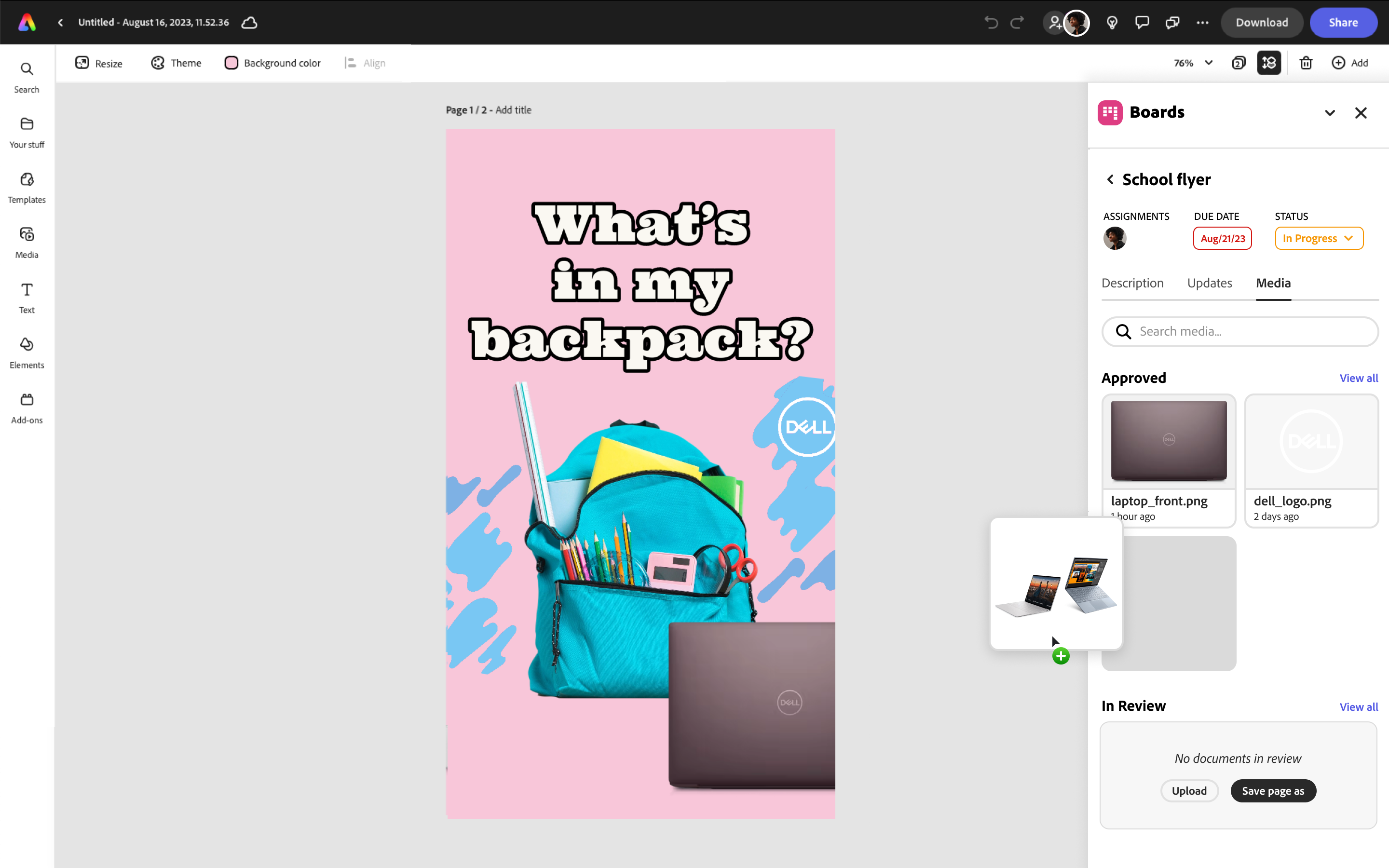
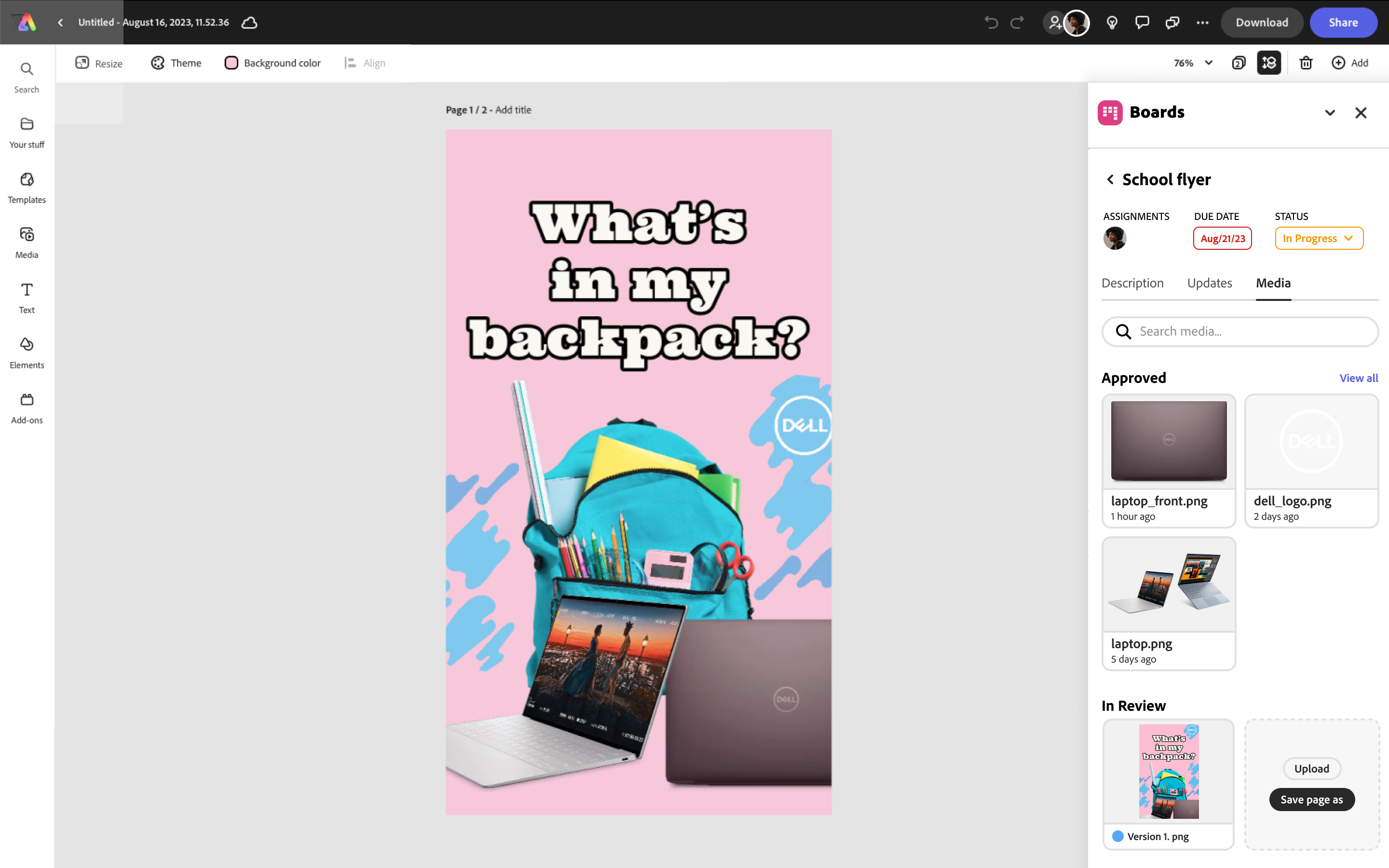
I designed an embedded Workfront plug-in within Adobe Express that allows users to manage tasks, feedback, and assets without leaving their workspace.
A persistent side panel that enables designers to manage workflows directly within their creative environment.
- View and manage tasks in real time
- Access comments and approvals inline
- Upload and sync assets seamlessly
- Maintain project visibility during design
Impact
Outcomes & Value
Reduces context switching between tools
Improves workflow efficiency
Enhances team collaboration
Supports faster design iteration
Reflection
What I Learned
This project reinforced the importance of designing for workflow continuity. The best interface is one that gets out of the way — embedding tools into existing environments rather than adding new ones.
- Next step: Usability testing with creative teams to validate panel placement and discoverability
- Measure: Reduction in task-switching events per design session
- Explore: Deeper integrations with approval workflows and asset versioning